Speed Bee Escape Controls & Movement
PC and mobile inputs for bee stages, treadmills, and live races.
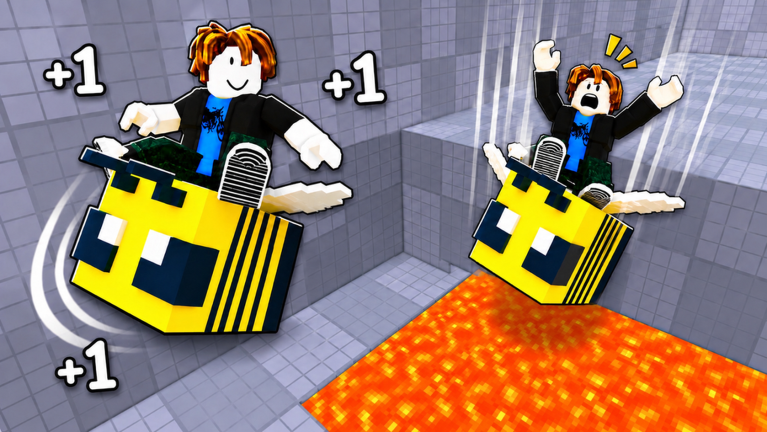
Precision matters in +1 Speed Bee Escape because Speed stat scaling turns small input mistakes into stage fails and lost Win streaks. Whether you join on PC or phone, mastering controls early saves more time than any unverified promo code. This page documents default Roblox movement for place 105946076556169, plus practical habits for bee obstacle stages and multiplayer racing on busy servers (~1.9K peak CCU).
PC controls (keyboard and mouse)
Roblox defaults apply unless the developer rebinding UI says otherwise:
| Action | Default key |
|---|---|
| Move forward | W |
| Move backward | S |
| Strafe left | A |
| Strafe right | D |
| Jump | Space |
| Shift lock toggle | Shift |
| Camera rotate | Hold right mouse button + move mouse |
| Zoom | Mouse wheel |
Shift lock keeps your avatar facing forward while strafing — useful on narrow bee-themed beams. Toggle it when stages require side jumps without falling off.
Sprint in this genre is usually automatic from Speed stat, not a separate key. Your treadmill gains raise top velocity; you do not hold a run button.
Mobile and tablet controls
- Dynamic thumbstick (bottom left) for movement
- Jump button (bottom right) — tap, do not hold unless a stage needs float physics (rare here)
- Camera swipe with second finger while moving
- Pinch to zoom for reading far gaps
Mobile players struggle most on timing jumps after speed spikes. Lower graphics quality if frame drops cause late jumps — Settings → Graphics → Manual → lower level.
Camera habits for stages
Bee stages mix elevation changes and moving platforms:
- Pre-align before sprint sections — rotate camera so the next landing is visible.
- Do not spam jump — many failures come from double jumps off platform edges.
- Reset calmly — if the game offers a checkpoint or stage restart, use it instead of walking back from spawn.
Pair stage-specific lines in Beat Stages once controls feel natural.
Treadmill AFK controls
Treadmills need you on the belt, not jumping:
- PC: walk onto center, release WASD, let Speed tick.
- Mobile: tap forward once, release stick; nudge if auto-walk drifts off.
Admin Treadmill gamepass owners may have alternate UI — see Gamepasses.
Racing and player collisions
Live races compare Speed builds. You cannot bump players off tracks in most obbies, but crowding can block treadmill lanes on packed servers. If spawn is chaos after 1.5M+ visits popularity, rejoin via Roblox server list for a lower population instance.
Accessibility tips
- Increase UI scale in Roblox settings if shop buttons overlap jump on small phones.
- Use keyboard on tablet with Bluetooth for hybrid play.
- Lower camera sensitivity if you overshoot narrow landings.
Common control mistakes
| Mistake | Fix |
|---|---|
| Holding jump through landings | Tap jump once per gap |
| Fighting shift lock on mobile | Disable shift lock; use manual camera |
| Ignoring Speed stat | Return to Treadmill Farming |
| Wrong game installed | Confirm Speed Bee Escape, not Keyboard Escape |
After you learn inputs
Move to Getting Started for economy loops, How to Get Faster for stat scaling, and Controls-free Wins path when movement is no longer your bottleneck.
Controls do not replace Trails and Bees multipliers — they multiply how efficiently you convert Speed into stage clears once your hands keep up with the numbers on screen.
Practice drill for new players
Spend ten minutes on the safest starter stage repeating three jumps: short hop, long hop, sprint landing. Note which fails come from input versus Speed gates. If long hops still fall short after ten clean attempts, leave and AFK a treadmill — mechanical practice cannot fix underleveled stats. Return with updated numbers from How to Get Faster and the run should feel dramatically different without changing a single key binding.
Frequently Asked Questions
Quick answers to the most common questions.
What are the PC controls for Speed Bee Escape?
WASD to move, Space to jump, Shift toggles shift lock, and right mouse drag rotates camera. Speed stat raises run velocity automatically.
How do I jump on mobile in Speed Bee Escape?
Use the jump button bottom-right while moving with the dynamic thumbstick. Tap once per gap instead of holding to avoid overshooting platforms.
Should I use shift lock on bee stages?
On PC, shift lock helps strafe on narrow beams without falling. Mobile players typically leave it off and manually swipe the camera.
Why do I fail stages even with good controls?
Your Speed stat may be too low for the stage gate. Farm treadmills and buy Trail multipliers before forcing hard routes.
Does Admin Treadmill change controls?
It changes treadmill access and pacing, not basic movement keys. See the Gamepasses page for Robux cost and value notes.